
Why Your Chatbot Shouldn't Go Silent When a Human Takes Over
 Josh Bein· April 7, 2026
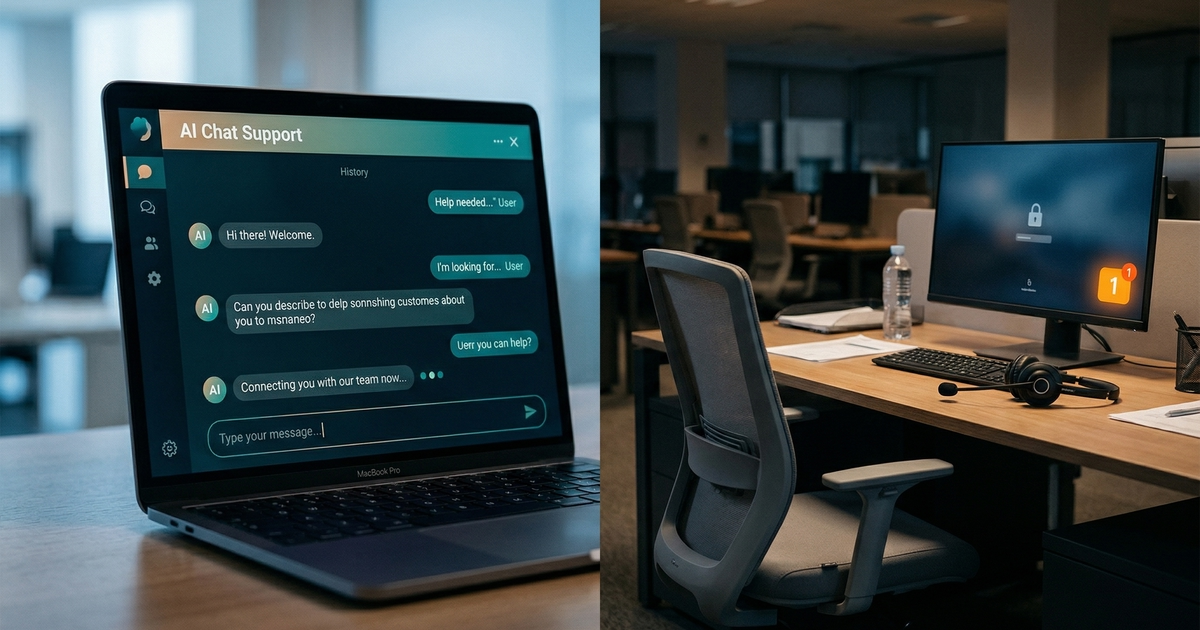
There is a specific moment in AI customer support where most platforms silently fail their users. It is not the moment the AI gives a wrong answer — that's visible and diagnosable. It is the moment after escalation, when the AI hands off to a human and then does exactly nothing.
The customer just went through the friction of escalating. They are already more invested and more impatient than they were at the start of the conversation. And now they are sitting in front of a chat window that has gone completely quiet — no acknowledgment, no estimated wait time, no indication that anyone is coming. According to the Salesforce State of Service 2024, 78% of customers judge service quality by response speed alone, not resolution quality. The silence after handoff is not a neutral state. It is active damage.
This post is about why that gap exists, what it costs, and how a properly designed escalation system prevents it.
TL;DR
- 78% of customers judge service quality by response speed, not just resolution quality, per Salesforce State of Service 2024.
- 32% of customers will leave after just one bad experience, per PwC Consumer Intelligence Series.
- Most AI platforms hand off and disengage — leaving the customer in silence while a human takes time to notice, context-switch, and respond.
- A well-designed escalation chain has three stages: AI handles the conversation, a Holding AI maintains engagement after handoff, and a human takes over with full context intact.
- The Holding AI acts on both sides simultaneously — sending a follow-up to the customer and alerting the assigned agent or supervisor through internal channels.
What "Going Silent" Actually Looks Like
The escalation handoff has a specific anatomy on most platforms. The AI reaches the limit of what it can resolve — a complex billing dispute, an emotionally charged complaint, a multi-system problem — and routes the conversation to a human queue. On the AI's side, the job is done. On the human side, the job hasn't started yet.
What happens in between depends entirely on how staffed and attentive the human team is at that moment. On a good day, with a well-staffed team during business hours, the wait might be a few minutes. On a bad day — end of shift, unexpected spike, understaffed Friday afternoon — the wait could be twenty minutes or more.
During all of that time, the customer sees nothing. No typing indicator. No "an agent will be with you shortly." Just the last message from the AI and an open chat field.
This is not a minor usability issue. The customer who was escalated is, by definition, the customer who had a problem the AI couldn't solve. They are already frustrated, already invested, and already in a lower-trust state than when the conversation started. Silence after escalation compounds all of that. It confirms the suspicion that no one is actually there.
Why the Gap Exists by Design
The silence after handoff is not an accident. It is the logical outcome of how most AI support platforms are architected.
The AI operates as an autonomous agent until it decides to escalate. The moment it escalates, it exits the conversation. The handoff is a transfer, not a relay. The AI is gone. The human has not yet arrived. Nobody is holding the space in between.
This architecture makes sense from an engineering standpoint — the AI has done its job, and continued AI engagement might confuse the customer or interfere with the human agent's context. But it fails from a customer experience standpoint, because it treats the handoff as an endpoint rather than a transition.
The hybrid model only works if the transition between AI and human is invisible to the customer. That invisibility requires something to be active on both sides of the handoff simultaneously: continuing to engage the customer while simultaneously alerting the human team that they are needed.
The Three-Stage Escalation Chain
A well-designed escalation system is not a binary switch between AI and human. It is a three-stage chain with active management at every transition.
Stage 1 — AI handles the conversation
For the majority of interactions — policy lookups, feature questions, status checks, meeting bookings — the AI resolves the conversation without escalation. No handoff required, no wait time introduced.
The AI should escalate when it reaches the boundary of what it can resolve: genuine ambiguity, emotional distress, multi-system complexity, or any situation where human judgment is required. The decision to escalate should be explicit, based on defined conditions — not a fallback for any query the AI found difficult.
Stage 2 — The Holding AI
This is the stage most platforms skip entirely, and it is the most important one for customer experience.
When the AI escalates, the Holding AI activates. It does two things simultaneously:
Customer-facing: It sends a follow-up message acknowledging the handoff. Not a generic "please wait" — a contextual message that names what's happening: "I've connected you with our team and someone will be with you shortly. I'll be here in the meantime if anything changes." The customer is not left in silence. They know what is happening and that someone is coming.
Agent-facing: It notifies the assigned agent or supervisor directly through the internal helpdesk communication channel. This is not a queue entry that an agent might check eventually — it is a direct notification that a specific conversation needs attention, right now. The notification includes the conversation context so the agent can triage before they even open the chat.
If the agent does not respond within the configured threshold, the Holding AI sends another message to the customer and escalates the alert to a supervisor.
Stage 3 — Human agent
When the human joins, they enter a conversation with full history intact — every message from the customer, every response from the AI, the escalation reason, and the Holding AI's follow-up messages. They do not need to re-establish context. They do not ask the customer to repeat themselves. They start at the point of actual complexity, with all the background already visible.
Configuring the Timing Thresholds
The Holding AI's behavior is governed by configurable timing thresholds. These are not one-size-fits-all — the right thresholds depend on your team's staffing, your customer expectations, and the nature of your escalated conversations.
| Threshold | Default | What triggers it |
|---|---|---|
| Assignee threshold | 5 minutes | No response from the assigned agent after escalation |
| Team threshold | ~1.7 minutes | No response from the assigned team (faster SLA when no individual is assigned) |
| Escalation threshold | 30 minutes | Conversation still unresolved — supervisor notification triggered |
The distinction between assignee and team threshold matters in practice. When a conversation is routed to a specific named agent, a 5-minute window gives them time to finish a current interaction before responding. When it is routed to a team pool without a named owner, a shorter window reduces the risk that everyone assumes someone else is handling it.
The 30-minute escalation threshold is the hard backstop. A conversation that reaches this point has been waiting through multiple follow-up cycles and still has no human response. That is a failure that needs supervisor visibility, not another automated message.
All three thresholds are adjustable. A high-urgency support team might tighten the assignee threshold to 2 minutes. A lower-volume advisory business might extend it to 10. The thresholds should reflect the actual experience you are committing to your customers, not the defaults of a product you just deployed.
Why This Matters More Than the AI's First Response
There is a tendency to measure AI support quality by the first interaction — how quickly the AI responds, how accurate its answers are, how natural the conversation feels. These metrics matter. But they measure the easy part.
The customers who reach escalation are your highest-stakes interactions. They are the customers with genuinely complex problems, or they are customers who are already frustrated, or they are your highest-value accounts who deserve a more senior response. They are the conversations where a bad experience has the most cost.
Per PwC's Consumer Intelligence Series, 32% of customers will walk away from a company after just one bad experience. Escalated customers are already closer to that threshold than customers who got a clean AI resolution. Abandoning them in silence after escalation — at the moment they most need to feel attended to — is where that 32% is actually happening. What this churn actually costs in revenue terms — including the lost lifetime value of customers who leave without a word — is rarely calculated but consistently significant.
The Holding AI exists precisely for this population. Not for the easy interactions, but for the ones that escalated because they were hard.
What Good Handoff Design Signals to Customers
There is a signal value to seamless handoff that goes beyond the functional outcome of the individual conversation.
A customer who was escalated and then waited in silence for twelve minutes has learned something about your support infrastructure. They have learned that the AI is a buffer between them and an understaffed team, and that "talking to a person" means waiting for someone to notice. That mental model persists. It affects how they approach every future interaction — lower expectations, higher initial frustration, less patience before they decide to churn.
A customer who was escalated and received an immediate acknowledgment, a notification when the agent was assigned, and a seamless transition to a human who already had full context — that customer has learned something different. They have learned that the support system is active, attentive, and organized. That the AI escalating was not an admission of failure but a routing decision by a system that knew when to hand off. That experience compounds differently.
The entire ROI of hybrid AI support depends on customers trusting both sides of the system. Trust in the AI comes from accurate first responses. Trust in the human side comes from what happens after escalation. Most teams invest heavily in the first and almost nothing in the second.
FAQ
Why does the AI go silent after escalation on most platforms?
Most AI support platforms treat escalation as a terminal state for the AI — the AI's job is done when it routes the conversation. The platform doesn't architect for what happens between routing and human response. The result is an unmanaged gap that the customer experiences as silence and abandonment.
What is a Holding AI?
A Holding AI is a secondary AI layer that activates after an escalation to keep the conversation active while the human team responds. It sends contextual follow-up messages to the customer acknowledging the wait, and simultaneously alerts the assigned agent or supervisor through internal channels. It monitors elapsed time and escalates alerts if response thresholds are exceeded.
How long should the wait be before the Holding AI sends a follow-up?
It depends on your team's staffing and your customer expectations. A common default is 5 minutes for a named assignee and approximately 2 minutes for a team queue. The threshold should reflect the SLA you are actually able to deliver — setting it too long defeats the purpose of having a follow-up at all.
Does the human agent need to re-ask the customer what the problem is?
No — if the system preserves full conversation history through the handoff. The agent enters the conversation with the complete exchange visible: every customer message, every AI response, the escalation trigger, and the Holding AI's follow-up messages. They have full context before they type a word.
What happens if no human responds within the escalation threshold?
A supervisor notification is triggered through the internal helpdesk channel. This is the backstop for situations where the primary escalation path has failed — the agent didn't respond, the team didn't pick it up, and the customer has been waiting for the maximum tolerable window. At that point, the issue needs management visibility, not another customer-facing message.
Is the Holding AI's follow-up message configurable?
Yes. The escalation message content and the escalation contact for supervisor notifications are both configurable per workflow. The timing thresholds — assignee, team, and escalation — are independently adjustable.